
An alarm for chronic snoozers
Wake up. Actually get up.
Cursed Alarm keeps ringing until you leave bed and scan your QR code across the room.
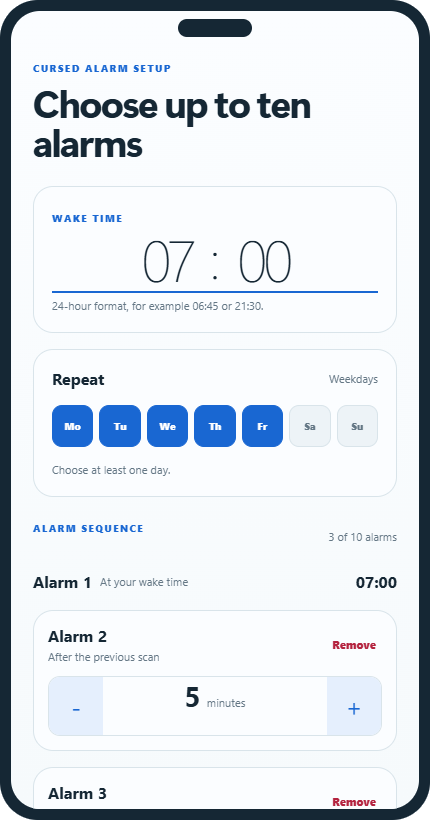
One tap is too easy when you are half asleep.
Cursed Alarm adds a physical finish line. Put the QR code away from bed, then get there before the sequence ends.
Your morning has a finish line.
Set the routine once. The same printed code can stop every alarm in the sequence.
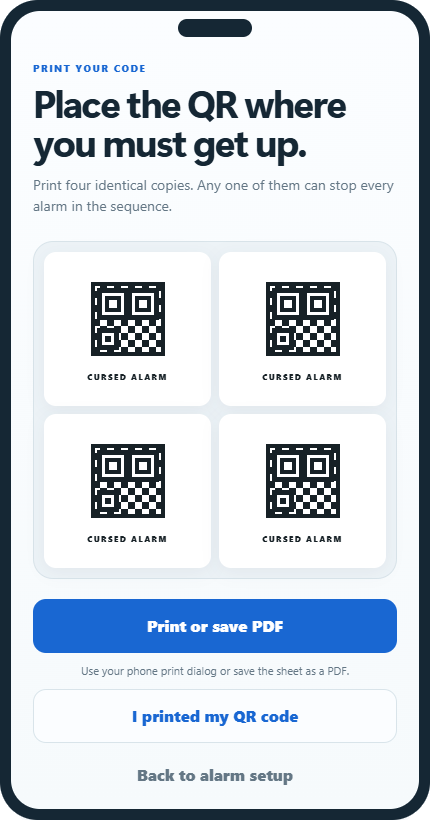
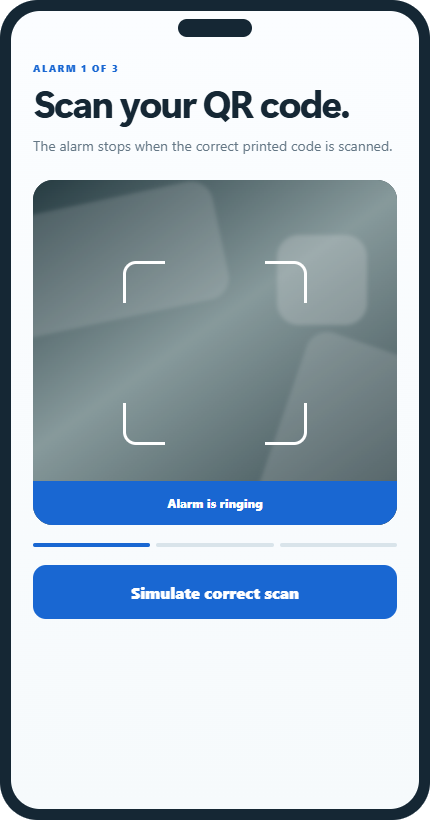
From alarm to awake in three moves.
-
Set your alarms
Choose your wake time and how many follow-up alarms you need.
-
Place the QR code
Print it once and put it across the room, down the hall, or near the coffee.
-
Get up and scan
Walk to the code and scan it to stop the active alarm.
Your routine stays yours.
No account, no analytics, and no cloud profile in version one. Alarm and QR information stays on your device.
Questions before you set the alarm?
Short answers for your first night with Cursed Alarm.
Do I need a different QR code for each alarm?
No. One reusable Cursed Alarm QR code can dismiss every alarm in your sequence.
What happens if I deny camera permission?
The alarm can still ring, but scanning cannot work until camera permission is enabled.
Does it need an internet connection?
No. Your schedule and QR validation work locally on your Android device.
Is this a medical or emergency alarm?
No. Cursed Alarm is a self-help tool. Keep a backup alarm for safety-critical wake-ups.
Tomorrow morning starts tonight.
Join the Android test and help us make difficult mornings easier to finish.